01Version 1.0.1
Smart Track Delay
A little timing. A wider sense of space.
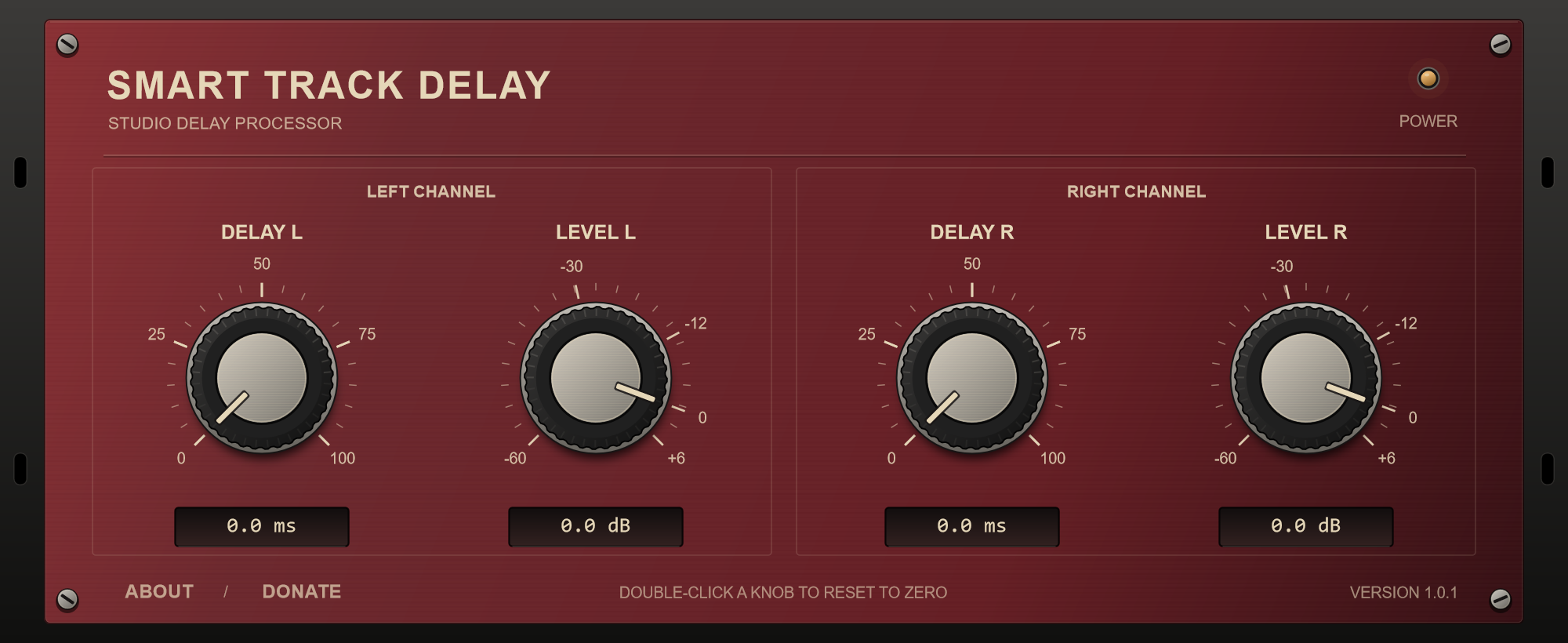
Shape your stereo image with independent delay and level controls for the left and right channels. Four knobs, a familiar front panel, and room to experiment.
FormatVST3 / Windows 64-bit
Delay per channel0–100 ms
Level per channel−60 to +6 dB
PriceFree. No limitations.
Installation & getting started
- Close your DAW and extract the ZIP archive.
- Copy the complete SmartTrackDelay.vst3 folder, including its contents, to
C:\Program Files\Common Files\VST3. When updating, replace the existing plugin folder. - Reopen your DAW, rescan your plugins if needed, and add Smart Track Delay to a stereo track or group.
Adjust each side’s delay and level independently. A mono recording can stay mono, but the plugin needs a stereo track or group. There is no added dry signal or feedback. Check your mix in mono when using different left and right delays.
Version 1.0.1 improves Windows compatibility. The controls and audio processing are unchanged.